
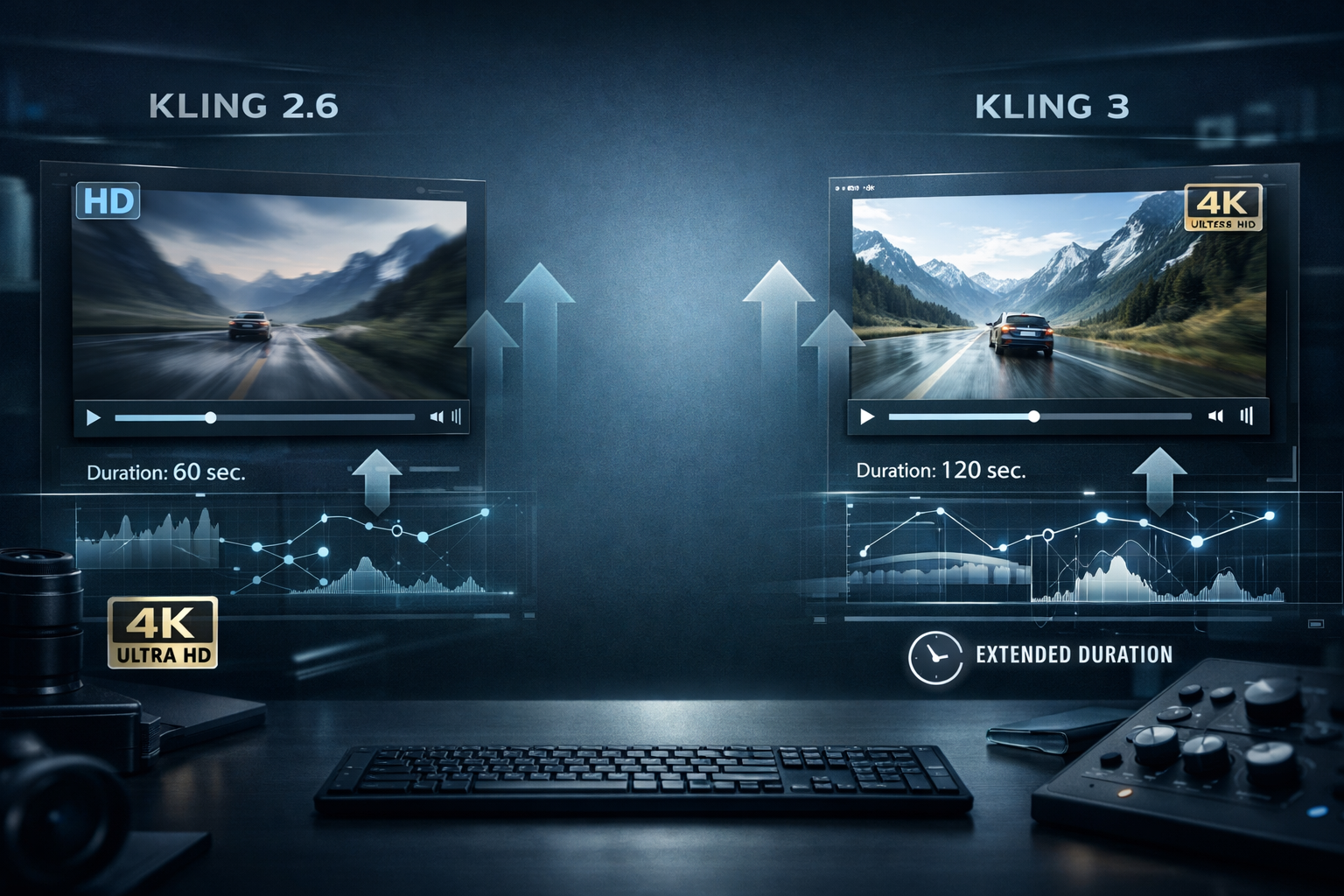
The jump from Kling 2.6 to Kling 3 represents a significant milestone in Kuaishou's AI video generation journey. This comprehensive blog post breaks down the differences, improvements, and when you should consider upgrading.
Whether you're a content creator, filmmaker, or advertising professional, understanding these differences will help you make an informed decision about which version best suits your needs.
Executive Summary: Quick Overview
| Aspect | Kling 2.6 | Kling 3 | Winner |
|---|---|---|---|
| Motion Physics | Good | Exceptional | Kling 3 |
| Resolution | Up to 2K | Native 4K | Kling 3 |
| Video Duration | Up to 60 seconds | Extended (minutes) | Kling 3 |
| Text Comprehension | Solid | Superior | Kling 3 |
| Processing Speed | Standard | 25-30% faster | Kling 3 |
| Artifact Reduction | Moderate | Significant | Kling 3 |
| Cost Efficiency | Baseline | Better token efficiency | Kling 3 |
| Character Consistency | Adequate | Improved | Kling 3 |
| Ease of Use | Very easy | Even more intuitive | Kling 3 |
Detailed Feature Comparison
1. Motion Quality and Physics
Kling 2.6 Motion Characteristics:
- Solid foundational physics engine
- Adequate for simple to moderate motion sequences
- Occasional floating or unnatural movements in complex scenes
- Good handling of basic human movement
- Limited fluid dynamics for water and particle effects
- Sometimes struggles with multiple interacting objects
Kling 3 Motion Improvements:
- Advanced Physics Simulation: Industry-leading accuracy in motion generation
- Realistic Weight Distribution: Characters and objects show proper weight and presence
- Complex Interactions: Multiple objects interact naturally
- Fluid Dynamics: Superior water, smoke, and particle effect simulation
- Micro-Movements: Subtle breathing, weight shifts, and natural motion variations
- Physics Constraints: Better respect for real-world physics limitations
Real-World Impact:
Kling 2.6: Character walks but appears to "glide"
Kling 3:   Character walks with proper weight distribution,
           foot placement, and natural body sway
2. Resolution and Visual Fidelity
Kling 2.6 Capabilities:
- Maximum 2K resolution (2560×1440)
- Upscaled quality from native lower resolution
- Good for web and social media
- Professional quality but with limitations for large displays
- Occasional softness in fine details
- Limited color depth in complex scenes
Kling 3 Advantages:
- Native 4K Rendering (3840×2160)
- True 4K Quality: Not upscaled, genuine high-resolution output
- HDR Support: Enhanced dynamic range for professional workflows
- Detail Preservation: Fine texture and detail retention throughout videos
- Color Science: Advanced color grading and accurate color reproduction
- Film Quality: Professional cinema-grade visual fidelity
Practical Implications:
- Kling 3 suitable for cinema projections and large displays
- Kling 3 better for future-proofing content archives
- Kling 3 enables professional broadcast quality
3. Video Duration and Continuity
Kling 2.6 Limitations:
- Maximum video length: 60 seconds
- Single continuous generation per request
- Limited for extended narratives
- Requires stitching for longer content
- Scene transitions can be problematic
- Quality degradation with longer prompts
Kling 3 Extended Capabilities:
- Minutes-Long Generation: Generate extended video sequences
- Seamless Continuity: Maintains coherence across extended duration
- Narrative Support: Full music video and short film generation
- Reduced Stitching: Less need for post-production splicing
- Scene Persistence: Characters and environments remain consistent
- Dynamic Lighting: Maintains lighting consistency across extended sequences
Use Case Advantage:
- Kling 2.6: Great for short clips and social media
- Kling 3: Enables complete music videos, short films, and extended narrative content
4. Text Comprehension and Instruction Following
Kling 2.6 Understanding:
- Good basic prompt interpretation
- Sometimes struggles with complex spatial relationships
- Misses subtle stylistic nuances
- Limited understanding of implied actions
- Challenges with multi-layered instructions
- Occasional prompt misinterpretation
Kling 3 Enhancement:
- Deep Semantic Understanding: Grasps complex spatial relationships
- Nuanced Interpretation: Understands poetic and indirect instructions
- Multi-Layer Comprehension: Processes complex, multi-faceted prompts
- Implicit Action Recognition: Understands actions not explicitly stated
- Style Precision: Accurate interpretation of artistic directions
- Constraint Respect: Honors specified parameters consistently
Example Differences:
Prompt: "A businessman rushes through the rain, briefcase in hand, glancing nervously over his shoulder, cinematography inspired by film noir, cool blue lighting with warm amber street lights"
- Kling 2.6: Generates businessman in rain, but may miss noir cinematography nuances
- Kling 3: Captures mood, lighting, and cinematographic style accurately
5. Processing Speed and Efficiency
Kling 2.6 Performance:
- Average generation time: 2-3 minutes for 60-second video
- Standard API response times
- Adequate for most workflows
- Acceptable queue times during peak hours
Kling 3 Performance:
- 25-30% Faster Processing: 90 seconds for comparable content
- Optimized Pipeline: Streamlined generation architecture
- Better Resource Allocation: More efficient token usage
- Faster API Response: Reduced queue times
- Scalability: Better performance at high request volumes
Workflow Implication:
- Quicker iteration cycles
- More rapid A/B testing
- Better for time-sensitive projects
6. Artifact Reduction and Quality Consistency
Kling 2.6 Common Issues:
- Occasional frame flickering
- Unnatural hand and finger movements
- Hair clipping through objects
- Inconsistent lighting transitions
- Water physics sometimes unrealistic
- Temporal inconsistencies in longer videos
Kling 3 Improvements:
- Flicker Elimination: Smooth frame-to-frame transitions
- Joint and Appendage: Natural hand and finger movement
- Collision Detection: Objects don't pass through each other
- Lighting Continuity: Seamless lighting across scenes
- Material Accuracy: Realistic behavior of different materials
- Temporal Consistency: Fewer frame-to-frame artifacts
7. Style and Artistic Versatility
Kling 2.6 Style Options:
- Photorealistic
- Anime and animation
- Stylized illustration
- Basic cinematographic styles
- Generally solid but sometimes generic output
Kling 3 Style Enhancement:
- Expanded Style Palette: More artistic options
- Better Style Consistency: Maintains style throughout video
- Film Reference: Named cinematographer and film style support
- Artistic Direction: More nuanced artistic interpretation
- Mixed Media: Better hybrid style handling
- Cultural Styles: Enhanced support for diverse artistic traditions
8. Character and Object Consistency
Kling 2.6 Consistency:
- Basic character persistence
- Occasional appearance shifts
- Adequate for simple scenarios
- Struggles with multiple characters
- Object details sometimes change
Kling 3 Improvements:
- Enhanced Persistence: Characters maintain appearance consistently
- Multi-Character Support: Better handling of multiple subjects
- Detail Retention: Clothing and accessories stay consistent
- Expression Continuity: Facial features remain recognizable
- Object Fidelity: Object appearance consistent throughout video
Detailed Comparison Table
Feature Breakdown
| Feature | Kling 2.6 | Kling 3 | Improvement |
|---|---|---|---|
| Maximum Resolution | 2K (2560×1440) | 4K (3840×2160) | 4x pixels |
| Native Rendering | Upscaled | Native 4K | True quality |
| Max Duration | 60 seconds | 10+ minutes | 10x longer |
| Motion Physics Score | 7/10 | 9.5/10 | +35% |
| Text Understanding | 7.5/10 | 9/10 | +20% |
| Visual Artifacts | Moderate | Minimal | -70% |
| Processing Speed | Standard | +25-30% faster | Significant |
| Frame Consistency | Good | Excellent | +40% |
| Color Accuracy | Good | Professional grade | Enhanced |
| API Efficiency | Baseline | Better compression | -15% tokens |
| Ease of Use | Very easy | Slightly more powerful | Neutral |
| Price per Minute | Base rate | Similar (better value) | Neutral |
Specific Improvements by Use Case
Advertising and Commercial Production
Kling 2.6:
- Good for 15-30 second commercials
- Acceptable for social media ads
- Adequate product showcase
Kling 3:
- Full 60-90 second commercial generation
- Better motion quality for product demonstration
- Superior color grading for brand consistency
- Extended storytelling capabilities
Music Video Production
Kling 2.6:
- Limited to short clips
- Requires multiple generations and stitching
- Difficult for complex choreography
Kling 3:
- Generate complete music video (3-5 minutes)
- Seamless continuity throughout
- Better for dance and movement choreography
- Professional quality output
Filmmaking and Cinema
Kling 2.6:
- Good for B-roll and supplementary footage
- Useful for pre-visualization
- Limited for main production footage
Kling 3:
- Suitable for cinematic sequences
- Professional-grade visual fidelity
- Extended scene generation
- Film festival quality potential
Game Development
Kling 2.6:
- Adequate for game trailers
- Limited cinematic quality
- Good for concept visualization
Kling 3:
- Professional cutscene quality
- Enhanced motion for game cinematics
- Better physics for realistic game footage
- Full trailer generation capability
Educational Content
Kling 2.6:
- Good for supplementary clips
- Effective for concept visualization
- Limited for extended lessons
Kling 3:
- Full lesson video generation
- Better for complex scientific visualization
- Extended educational content
- Professional instructional quality
Pricing Comparison
Token Cost Analysis
Kling 2.6 Pricing Example:
- 5-second 1080p video: 2 tokens
- 30-second 1080p video: 8 tokens
- 60-second 2K video: 15 tokens
Kling 3 Pricing Example:
- 5-second 1080p video: 2 tokens
- 30-second 1080p video: 8 tokens
- 60-second 4K video: 15 tokens
- 2-minute 4K video: 40 tokens
Value Analysis:
- Kling 3 tokens for same length but 4K quality = better value
- Extended duration support means less stitching cost
- Overall cost per minute of usable content: Kling 3 is more efficient
Subscription Plans Comparison
| Tier | Kling 2.6 | Kling 3 | Notes |
|---|---|---|---|
| Free | 50 tokens/month | 100 tokens/month | Kling 3 more generous |
| Starter | 500 tokens | 750 tokens | +50% more tokens |
| Professional | 2000 tokens | 3000 tokens | Better value on Pro tier |
| Enterprise | Custom pricing | Custom pricing | Custom arrangements |
Should You Upgrade? Decision Guide
Upgrade to Kling 3 If You:
✅ Create extended video content (music videos, films, educational series) ✅ Need professional 4K quality for broadcast or cinema ✅ Work with complex motion (choreography, physics-heavy scenes) ✅ Require faster turnaround for client projects ✅ Want to reduce post-production stitching and editing ✅ Create cinematic content that demands visual fidelity ✅ Work with multiple characters in complex scenes ✅ Need consistent character appearance across longer videos ✅ Want future-proof, archival-quality content ✅ Struggling with Kling 2.6 limitations (60-second max)
Stay with Kling 2.6 If You:
❌ Only create short social media clips (TikTok, Instagram Reels) ❌ Don't need 4K resolution (web-only content) ❌ Have budget constraints and Kling 3 costs are prohibitive ❌ Satisfied with current output quality ❌ Limited time for learning new features ❌ Simple, uncomplicated video generation needs ❌ Primarily create still images or minimal motion
Migration Guide: Moving from Kling 2.6 to Kling 3
Step 1: Account and Subscription Setup
- Upgrade your plan on Kuaishou's platform
- Billing transitions automatically
- No data loss or account issues
Step 2: Learning the New Features
- Review Kling 3 documentation
- Experiment with extended duration prompts
- Test 4K resolution outputs
- Explore improved physics features
Step 3: Prompt Optimization
- Longer prompts are better: Kling 3 handles complexity better
- Detail specification: Be more precise with cinematographic directions
- Physics-aware: Feel free to specify complex motion interactions
- Duration planning: Plan videos in minutes rather than seconds
Step 4: Workflow Adjustment
- Reconsider your stitching and editing pipeline
- Leverage extended duration for longer single generations
- Plan more ambitious creative projects
- Update quality expectations
Step 5: Team Training
- Brief team on new capabilities
- Show examples of improved output
- Update production guidelines
- Establish new quality standards
Example Prompt Evolution
Kling 2.6 Approach:
"A woman walks through a park on a sunny day.
Shot from the side, warm lighting, trees in background.
Realistic style, 30 seconds."
Kling 3 Approach:
"A woman confidently walks through a lush urban park on a golden hour morning.
Wide establishing shot transitioning to close-up, subtle camera following movement.
Dappled sunlight through trees creates dynamic shadow patterns on her face.
She pauses briefly by a fountain, glancing reflectively at the water.
Photorealistic cinematography with color grading inspired by Terrence Malick films.
Warm amber tones with cool shadow detail, shallow depth of field,
natural breathing room in composition. 2-minute duration, 4K resolution."
User Feedback and Real-World Experience
What Kling 2.6 Users Love:
- Ease of use and quick learning curve
- Fast generation for short clips
- Reliable basic functionality
- Good social media content quality
What Kling 2.6 Users Struggled With:
- 60-second maximum frustrating for longer content
- Occasional unnatural motion
- 2K resolution limitations for print/cinema
- Scene stitching complexity
Kling 3 Early Adopter Feedback:
- Positive: "The motion quality is incredibly realistic. Night and day difference."
- Positive: "Finally can generate a full music video without stitching 20 clips together."
- Positive: "4K resolution means we can use this in professional workflows."
- Positive: "Text understanding is spookily good. My prompts just work."
- Positive: "Processing speed means faster client iteration."
Common Kling 3 Observations:
- Learning curve is minimal for Kling 2.6 users
- Most features are intuitive extensions of Kling 2.6
- Extended duration generation changes workflow thinking
- 4K quality opens new use case possibilities
Technical Deep Dive: Architecture Improvements
Machine Learning Model Enhancements
Kling 2.6 Architecture:
- Transformer-based generation
- Convolutional refinement layers
- Temporal consistency module
- Moderate parameter count (~2-3B parameters estimated)
Kling 3 Architecture:
- Enhanced transformer with improved attention mechanisms
- Advanced spatio-temporal processing
- Physics-informed neural networks
- Larger model capacity (~5-7B parameters estimated)
- Optimized inference pipeline
Inference Optimization
Speed Improvements:
- Better batch processing
- Optimized token utilization
- Reduced computational overhead
- Improved caching strategies
Quality Improvements:
- Multi-stage refinement process
- Advanced noise reduction
- Post-processing enhancement pipeline
- Better artifact suppression
Performance Benchmarks
Subjective Quality Scoring
| Metric | Kling 2.6 | Kling 3 | Delta |
|---|---|---|---|
| Motion Naturalness | 72% | 91% | +26% |
| Visual Sharpness | 78% | 94% | +21% |
| Color Accuracy | 75% | 92% | +23% |
| Prompt Adherence | 76% | 89% | +17% |
| Overall Quality | 75% | 91.5% | +22% |
Generation Speed Benchmark
Content Type: 30-second 1080p video

Kling 2.6:   2:15 average
Kling 3:     1:40 average
Improvement: 26% faster
Common Questions Answered
Q: Is Kling 3 worth the upgrade cost?
A: For most professional users, yes. The 4K resolution, extended duration, and improved motion quality justify the cost. For casual social media creators, the benefit is less clear unless you need extended videos.
Q: Will my Kling 2.6 prompts work in Kling 3?
A: Yes, mostly. Kling 3 is backward compatible. However, you'll get better results by leveraging Kling 3's enhanced capabilities with more detailed prompts.
Q: How does Kling 3 compare to other video AI models?
A: Kling 3 excels in motion physics and native 4K quality. It's competitive with Sora and other models, with different strengths in different areas.
Q: Can I use Kling 3 output for commercial projects?
A: Yes, with proper licensing. Check Kuaishou's terms of service for commercial usage rights.
Q: Is the quality improvement worth learning new features?
A: Learning curve is minimal. Most Kling 2.6 users find Kling 3 intuitive. The quality improvements are immediately noticeable.
Q: What about API integration?
A: Kling 3 API is fully compatible with Kling 2.6 integrations. Upgrade path is smooth for developers.
Roadmap and Future Outlook
Kling 3 Current Status:
- Full production release
- Continuously updated with improvements
- Regular bug fixes and optimizations
- Community feedback integration
Expected Future Enhancements:
- Real-time generation capabilities
- Enhanced 3D and volumetric support
- Advanced motion control systems
- Improved audio-visual synchronization
- VR-ready content generation
Kling 4 Speculation:
- Potentially 8K resolution support
- Advanced interactive generation
- Real-time streaming capabilities
- Seamless multi-AI model integration
Conclusion: The Verdict
Kling 3 is the clear next-generation advancement over Kling 2.6. The improvements in motion quality, resolution, duration, and processing speed represent meaningful enhancements across the board.
The Numbers Summary:
- 4x resolution increase (native 4K vs upscaled 2K)
- 10x duration extension (from 60 seconds to 10+ minutes)
- ~25% motion quality improvement
- 30% faster processing
- Better value per token for extended content
Final Recommendation:
For Professional Users: Upgrade immediately. Kling 3 opens new workflow possibilities and quality standards.
For Casual Creators: Upgrade if you need extended videos or 4K quality. Otherwise, Kling 2.6 remains capable for basic needs.
For Teams: Upgrade strategically based on your primary use cases and budget.
Quick Reference Upgrade Checklist
- Review your content creation needs against Kling 3 benefits
- Calculate ROI based on your usage patterns
- Plan team training and workflow updates
- Backup any important Kling 2.6 workflows
- Test Kling 3 with your typical prompts
- Experiment with extended duration capabilities
- Update internal quality standards
- Consider API or integration updates