Read about our latest product features, solutions, and updates.
Making AI video for TikTok and Shorts takes more than a prompt. Here's the exact vertical workflow, the settings that matter, and what actually holds attention.

Build an AI music video in Kling 3.0 with shot-by-shot planning, beat-matched cuts, and multi-shot sequences. The exact workflow, settings, and fixes that work.

A working AI product video workflow with Kling 3.0: which shots to generate, the exact settings I use, a shot-type table, and how to fix warped labels and logos.

An ai ugc video only converts if the hook, face, and script feel real. Here's the exact Kling 3.0 workflow, the shot recipe, and the disclosure rules.

A practical workflow for making AI video ads with Kling 3.0 — hook structure, product-shot prompts, native audio, and the mistakes that kill conversions.

Is Kling AI safe? What the privacy policy really says about your uploads, who owns your clips, which content gets blocked, and the risks worth taking seriously.

Kling 3.0 commercial use explained: which plans grant a commercial license, who owns the output, when attribution is required, and what you can safely sell.

Kling AI not working? Here's how to fix generation failed errors, jobs stuck at 99%, and burned credits — 8 practical fixes ranked by what actually works.

The Kling 3.0 watermark explained: which plans export clean, why the invisible layer never comes off, and the legitimate ways to get watermark-free video.

Kling Image 3.0 explained: native 2K/4K output, up to 10 reference images, local editing, and Series Mode — plus which variant to use and how to start.

I tested the 7 best Kling 3.0 alternatives on real briefs — Sora 2, Veo 3.1, Seedance 2.0, Runway, Hailuo, Luma, Pika. Specs, price, and when each one wins.

A practical guide to the Kling 3.0 aspect ratio options — 16:9, 9:16, and 1:1 — with a decision table, platform picks, and how to avoid ugly reframing crops.

Kling 3.0 camera control turns flat AI clips into real cinematography. Here are the exact prompt phrases, the one-move-per-shot rule, and the fixes for warping.

Learn how to use kling 3.0 extend video to push a clip past its generation limit — the 5-second rule, prompt formula, cost math, and how to avoid drift.

The Kling 3.0 negative prompt field is where you kill morphing hands, sliding feet, and flicker. Here's exactly what to put in it, what to leave out, and why.

Kling 3.0 video length runs 3 to 15 seconds per generation. Here's how duration works, what it costs per second, and when to extend instead of regenerate.

I ran Kling 3.0 vs Grok Imagine on the same briefs. The honest call on 4K vs 720p, clip length, native audio, speed, and per-second price — and which to open first.

Kling 3.0 vs Hunyuan Video, tested honestly: 4K hosted output versus an 8.3B open-source model on your own GPU. Specs, licensing, cost, and which to pick.

I ran the same still through both. Here's the honest Kling 3.0 vs Midjourney Video call on resolution, clip length, audio, motion control, and price.

I ran Kling 3.0 vs Vidu on the same character brief. Honest comparison of resolution, clip length, reference images, audio, and price — and which to open first.

What kling 3.0 kuaishou actually is, who makes it, what changed in the 3.0 release, and exactly how to access and use it — a plain-English 2026 guide.

An honest Kling 3.0 review after weeks of real generations: what it nails, where it slips, who it's for, and whether the credits are worth it in 2026.

A practical 2026 guide to the Kling 3.0 API: official access and pricing, plus how fal, Replicate, and other platforms compare on per-second video cost.

Is Kling 3.1 out yet? An honest look at whether kling 3.1 exists, when a point release could land, and what to expect based on Kling's real version cadence.

Kling 3.0 Omni explained: the multimodal model that adds native audio, character voice locking, multi-shot storyboards, and Omni Edit on top of Kling 3.0.

The Kling 3.0 release date, confirmed: when Kuaishou launched it, what actually shipped in Video and Image 3.0, and whether the upgrade is worth switching for.

Learn how to use Kling 3.0 the fast way: the exact text-to-video and image-to-video workflow, the settings that matter, credit costs, and a beginner FAQ.

The complete Kling 3.0 text to video workflow: the four-block prompt structure, the settings that control length and motion, and how to fix weak clips.

A hands-on guide to Kling 3.0 lip sync: the two ways to do it, the audio and clip limits, supported languages, and how to fix mouths that don't match.

Kling 3.0 native audio generates dialogue, sound effects, and ambience in one pass. Here's exactly how to prompt it, the five languages, and how to fix bad sound.

A hands-on guide to Kling 3.0 4K: the exact resolution and fps settings, when native 4K is worth the credits, and how to export clean 4K AI video that holds up.

Kling 3.0 element reference locks a character's face, outfit, and props across every shot. Here's how to build elements, bind subjects, and fix drift.

Kling 3.0 multi-shot lets you direct up to six cinematic cuts in one 15-second render. Learn the storyboard workflow, Auto vs Custom, and character consistency.

Kling 3.0 vs Kling 2.6, tested on the same shots. What's new, what it costs, and whether the upgrade to 4K, 60fps, and 15-second multi-shot clips is worth it.

I tested kling 3.0 vs luma dream machine on the same shots. Honest breakdown of resolution, clip length, HDR color, speed, pricing, and which to pick first.

I tested Kling 3.0 vs Wan on the same shots. Here's the honest call on 4K, audio sync, open-source self-hosting, price, and which one to reach for first.

Kling 3.0 vs Hailuo, tested on the same shots. The honest breakdown on resolution, physics realism, speed, price, and which AI video model to reach for first.

I tested Kling 3.0 vs Pika on the same shots. Here's the honest call on resolution, clip length, speed, keyframe control, and price — and which to open first.

I ran Kling 3.0 vs Runway Gen-4 through the same shots. Honest breakdown on resolution, clip length, consistency, price, and which AI video tool to pick first.

I tested Kling 3.0 vs Sora 2 on the same shots. Here's the honest call on resolution, clip length, audio, physics, and price — and which one to open first.

Kling 3.0 Motion Control transfers real movement onto your AI character. Here's the exact workflow, the reference-video rules, and how to fix common failures.

Yes, you can use Kling 3.0 free. Here's exactly what the free plan gives you, how to stretch daily credits, and the tricks to generate more without paying.

How much does Kling 3.0 cost? A plain-English breakdown of every plan, how credits actually burn, the real price per clip, and the cheapest way to use it.

I ran both Kling 3.0 and Seedance 2.0 through the same shots. Here's the honest breakdown on speed, resolution, inputs, price, and which model to pick first.
Got a still image but no idea how to animate it? Learn to use Kling 3.0 image to video: the right start frame, motion prompts, and settings for clean AI clips.
Kling 3.0 vs Veo 3.1: I tested both for realism, audio, clip length, and ease of use. Here is which AI video model wins, and exactly when to pick each one.
Stop prompting Kling 3.0 like a photographer. Learn the scene-to-audio formula, motion and character tricks, and copy-ready examples for sharper AI video.
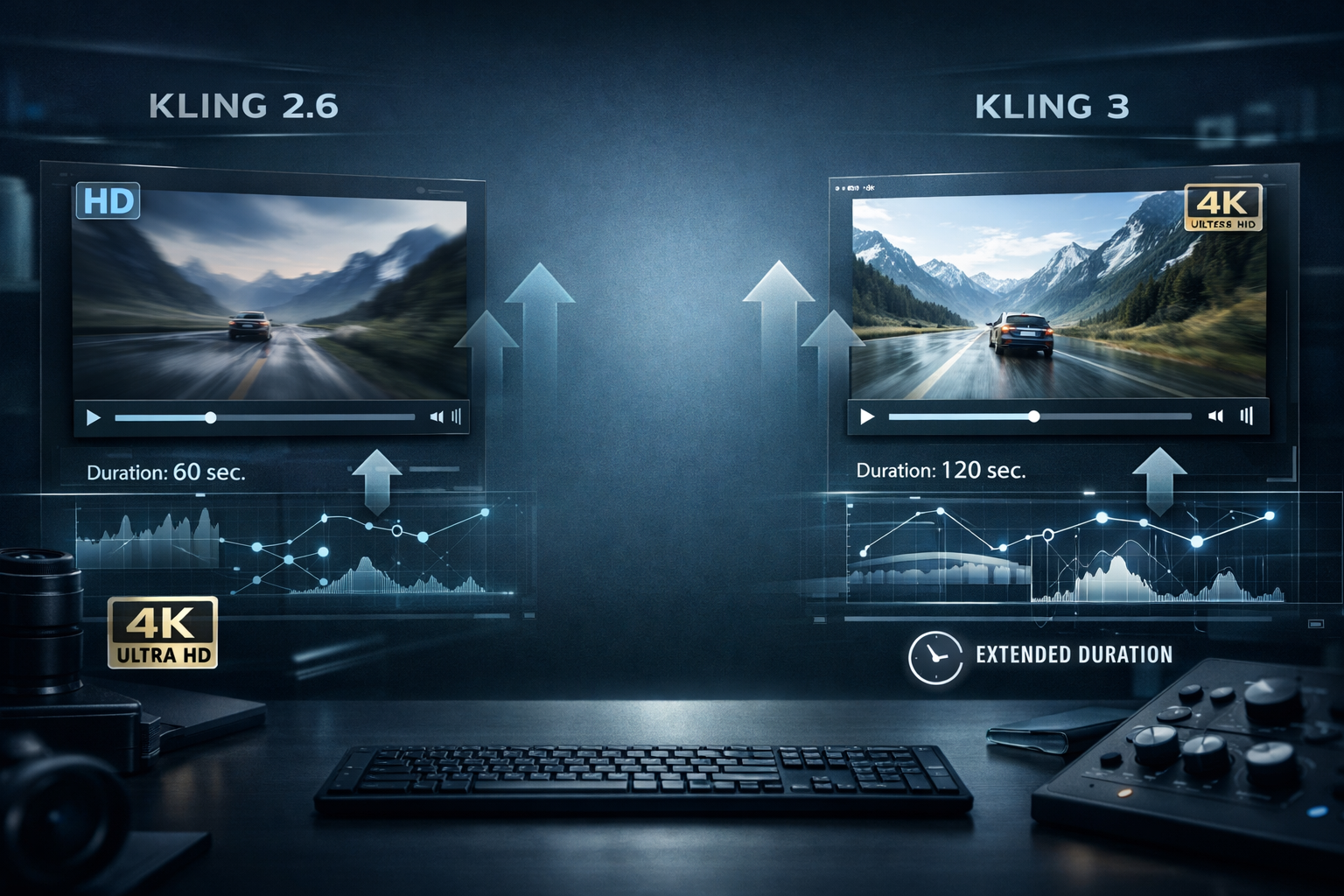
Comprehensive comparison of Kling 2.6 and Kling 3 AI video generation models, covering improvements in motion physics, 4K resolution, extended duration, and use cases.
Discover how Kling 3.0 revolutionizes AI video generation with native audio, 4K multi-shot storyboards, and character consistency. A hands-on review and step-by-step tutorial.